> ## Documentation Index
> Fetch the complete documentation index at: https://docs.truenroll.com/llms.txt
> Use this file to discover all available pages before exploring further.
# Manage Cases
> View, assign, and manage candidate cases in TruEnroll.
The home Evaluation page displays all candidates uploaded to TruEnroll for international equivalency evaluation. To view domestic cases, select **Domestic Transfers** from the left panel (coming soon).
## Case List
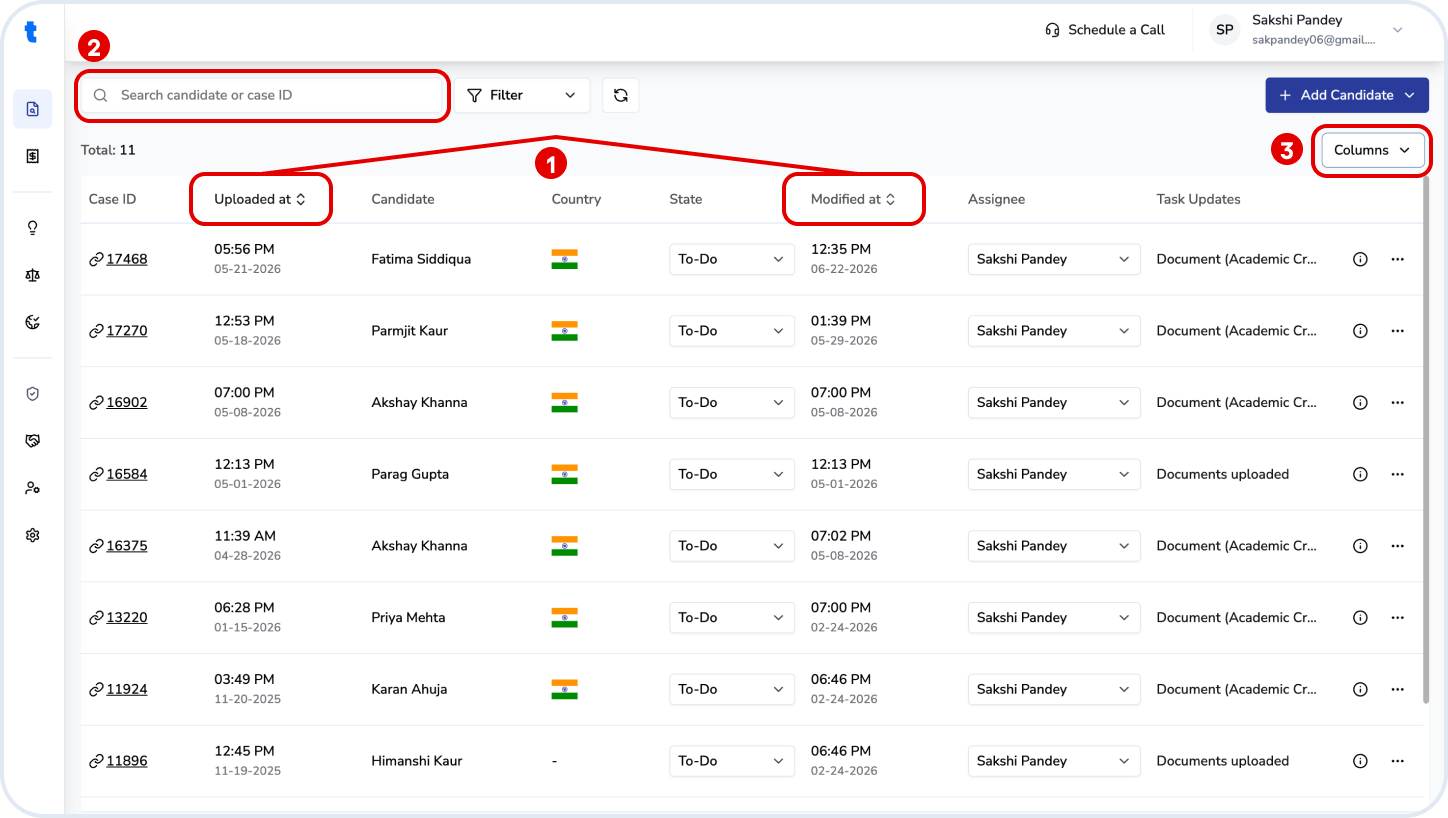
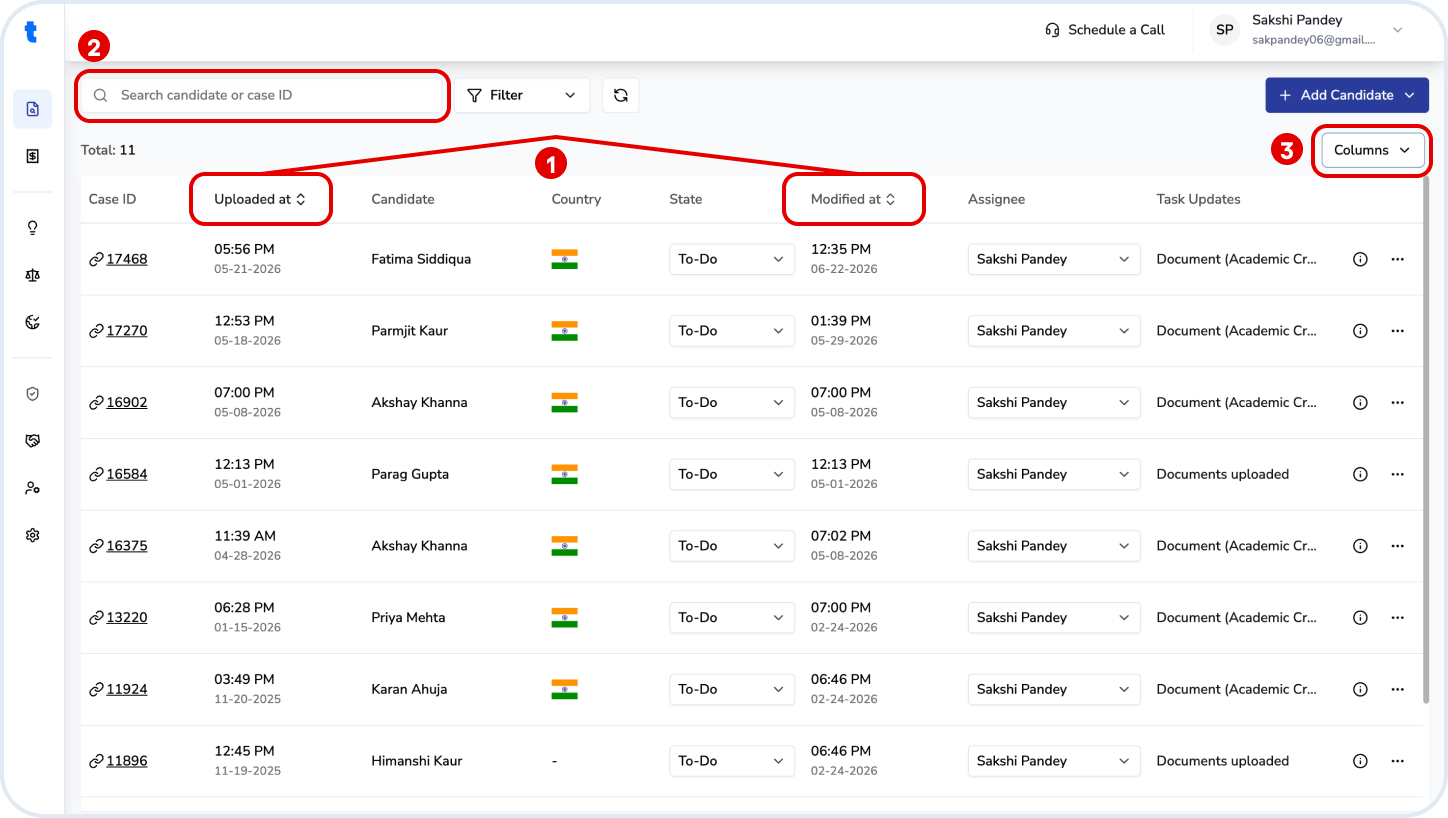
The table shows all cases with key details such as candidate name, country, status, assignee, and recent updates.
You can:
1. Sort cases by **Uploaded date** or **Last modified date**
2. Search using candidate name or case ID
3. Customize visible columns using the **Columns** dropdown option on the top right
 ## Case Status
Each case can be assigned a workflow status:
* **To-Do** → Not yet started
* **In Progress** → Currently being worked on
* **Done** → Evaluation completed
Update the status directly from the dropdown in the table.
## Assignment
Cases can be assigned to users within your organization using the **Assignee** field.
To add or manage users, go to **User Management** from the left panel.
## Case Actions
Each case provides additional actions and information:
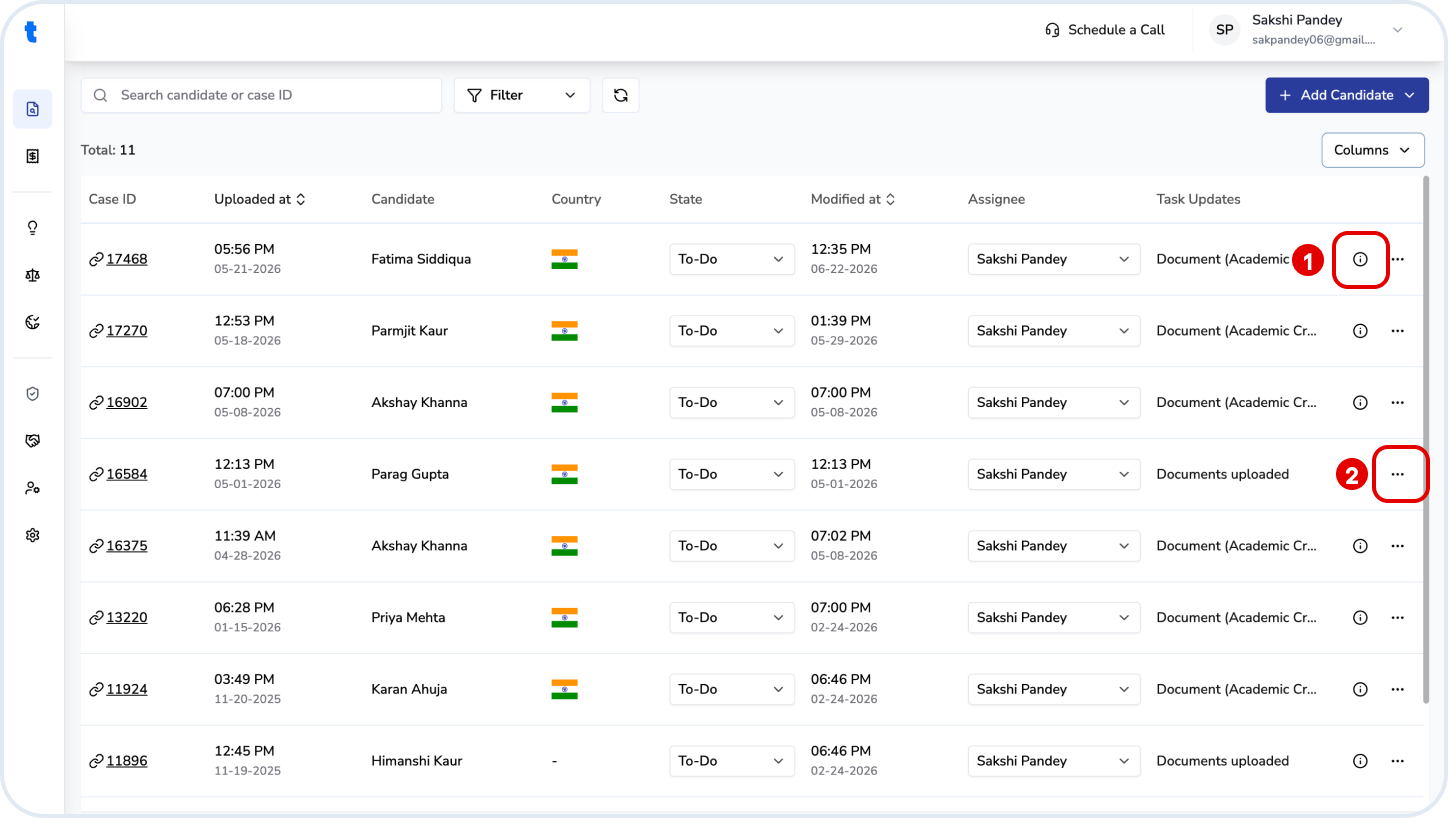
1. **Info (i)** → View details about the status of the candidate's qualifications' evaluation
2. **More options (⋯)** → Access actions to the case:
* Download evaluation reports
* Download evaluated Excel
* Download verification report (if available)
* Remove case
## Case Status
Each case can be assigned a workflow status:
* **To-Do** → Not yet started
* **In Progress** → Currently being worked on
* **Done** → Evaluation completed
Update the status directly from the dropdown in the table.
## Assignment
Cases can be assigned to users within your organization using the **Assignee** field.
To add or manage users, go to **User Management** from the left panel.
## Case Actions
Each case provides additional actions and information:
1. **Info (i)** → View details about the status of the candidate's qualifications' evaluation
2. **More options (⋯)** → Access actions to the case:
* Download evaluation reports
* Download evaluated Excel
* Download verification report (if available)
* Remove case
 **Note**
* The **Task Updates** column shows the latest activity on the case
* Available actions may vary depending on the case status (such as if the evaluation has been completed or not)
**Note**
* The **Task Updates** column shows the latest activity on the case
* Available actions may vary depending on the case status (such as if the evaluation has been completed or not)