

1
Set up your account
Sign up using your email, Google, or Microsoft account, then provide your organization details to request access to TruEnroll.Once your request is approved, you’ll receive an email confirming that your account is ready. You can then complete your first end-to-end evaluation using a sample credential.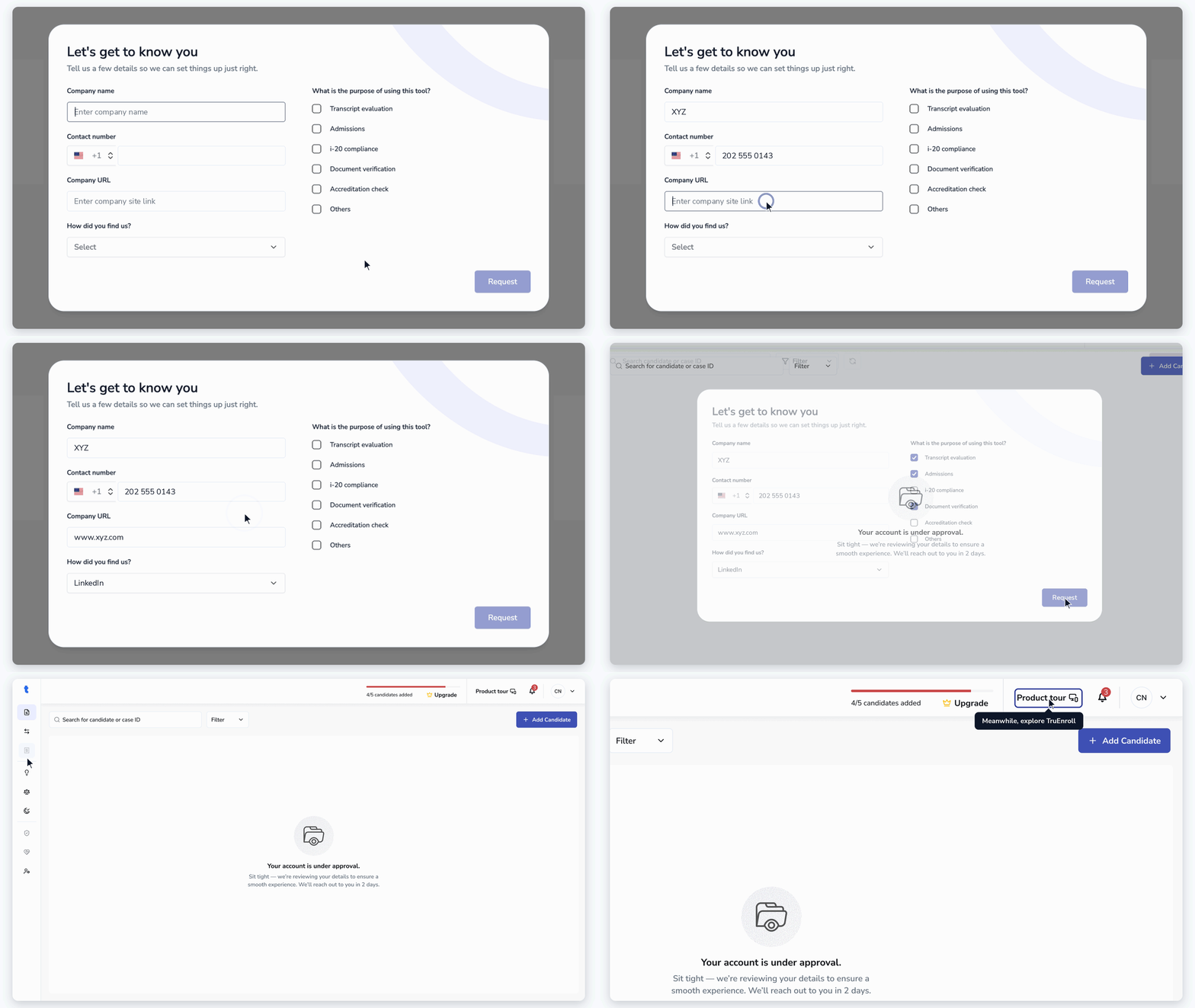
2
Upload a Candidate
Create a candidate record and upload their academic documents for processing.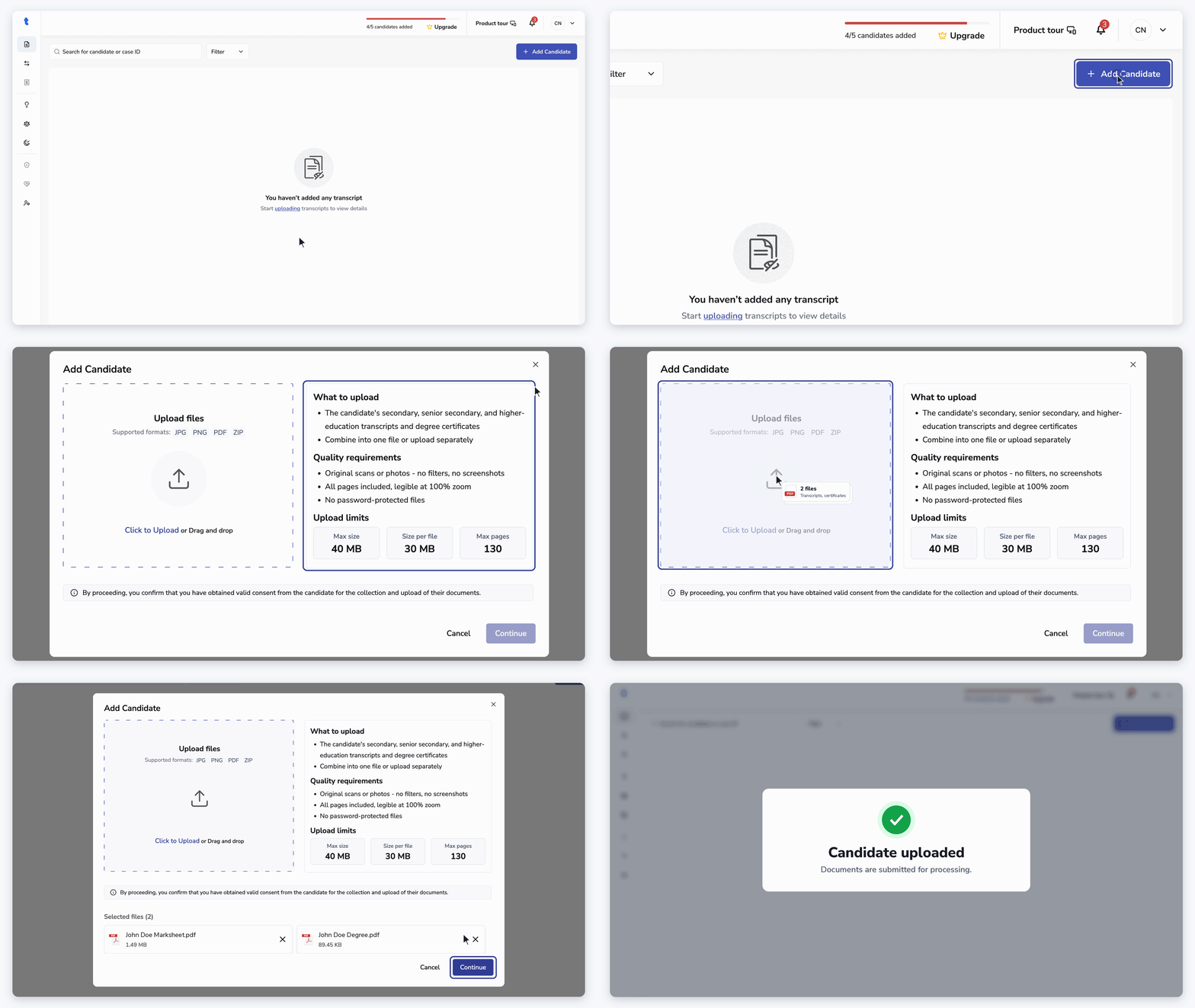
3
Open the uploaded Case
Click on the processed candidate row.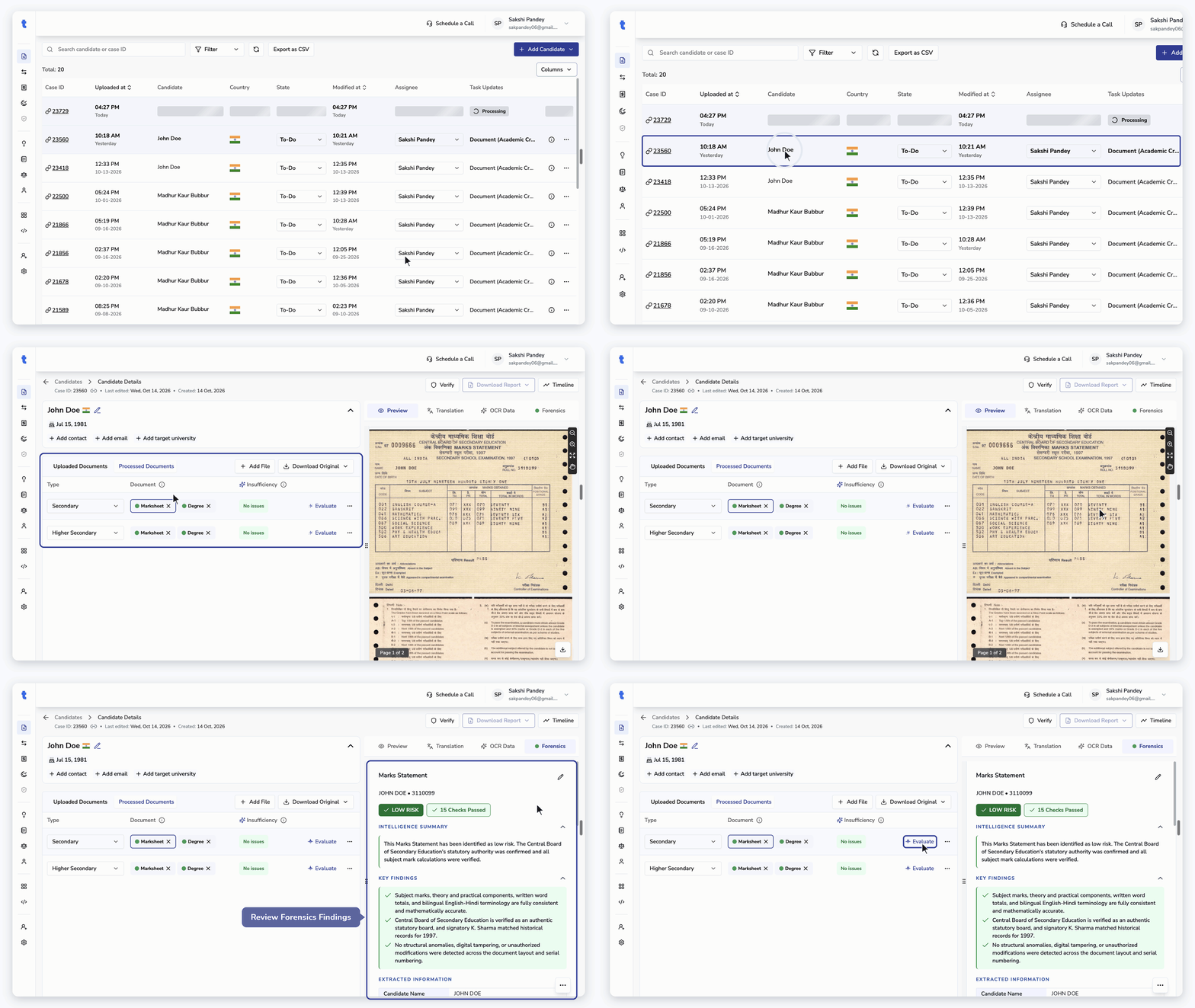
4
Review Extracted Data
Review the information extracted from the academic documents, including candidate details, institution names, courses, credits, and grades. Correct any inaccuracies, paying particular attention to low-confidence fields.Once the extracted data is reviewed, check the Accreditation details for the institution.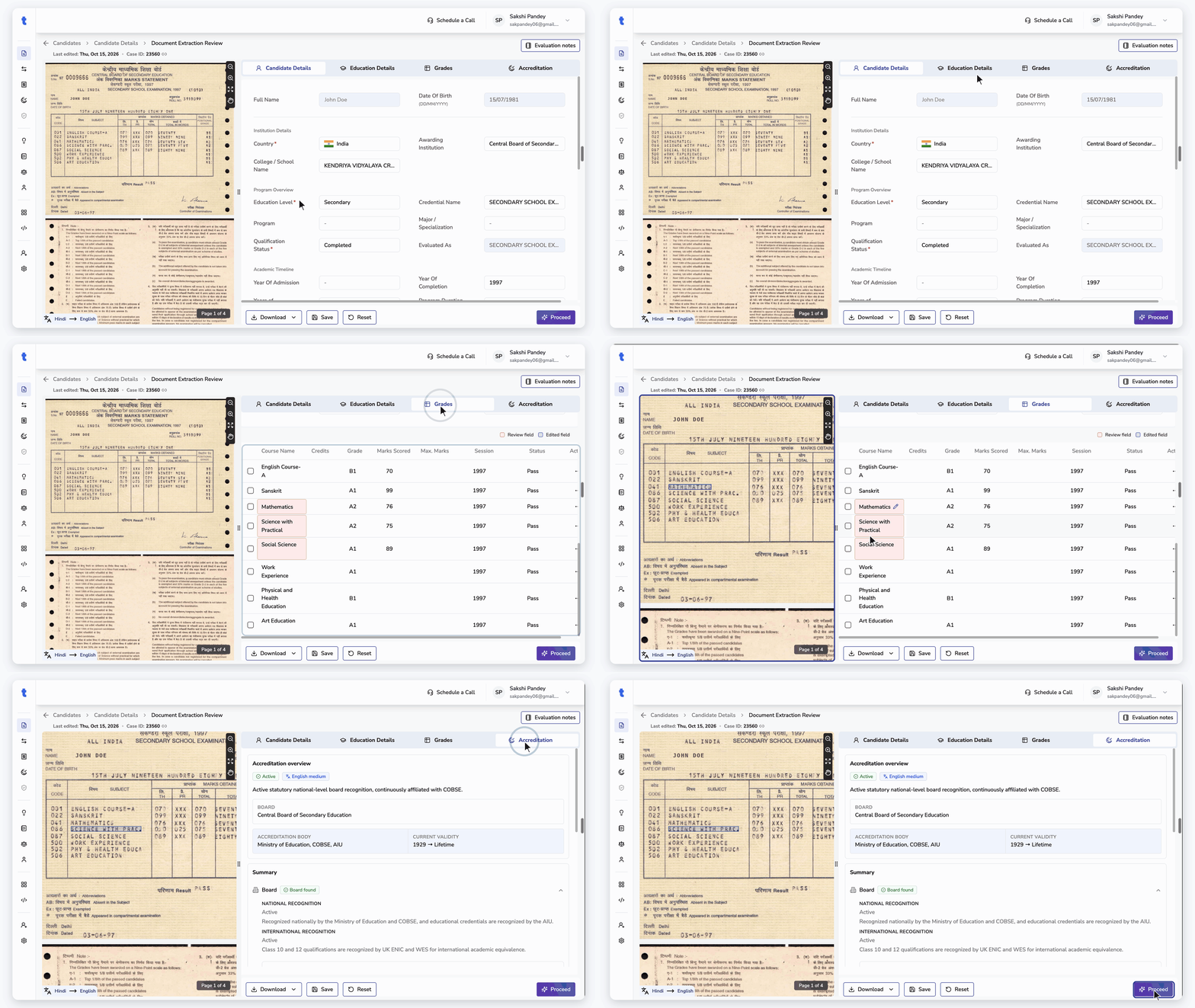
5
Review Equivalency & Complete Evaluation
Review the applied grade and credit scales, then verify the GPA and evaluation summary. Edit the course table as needed, add evaluation notes, and complete the candidate’s credential evaluation.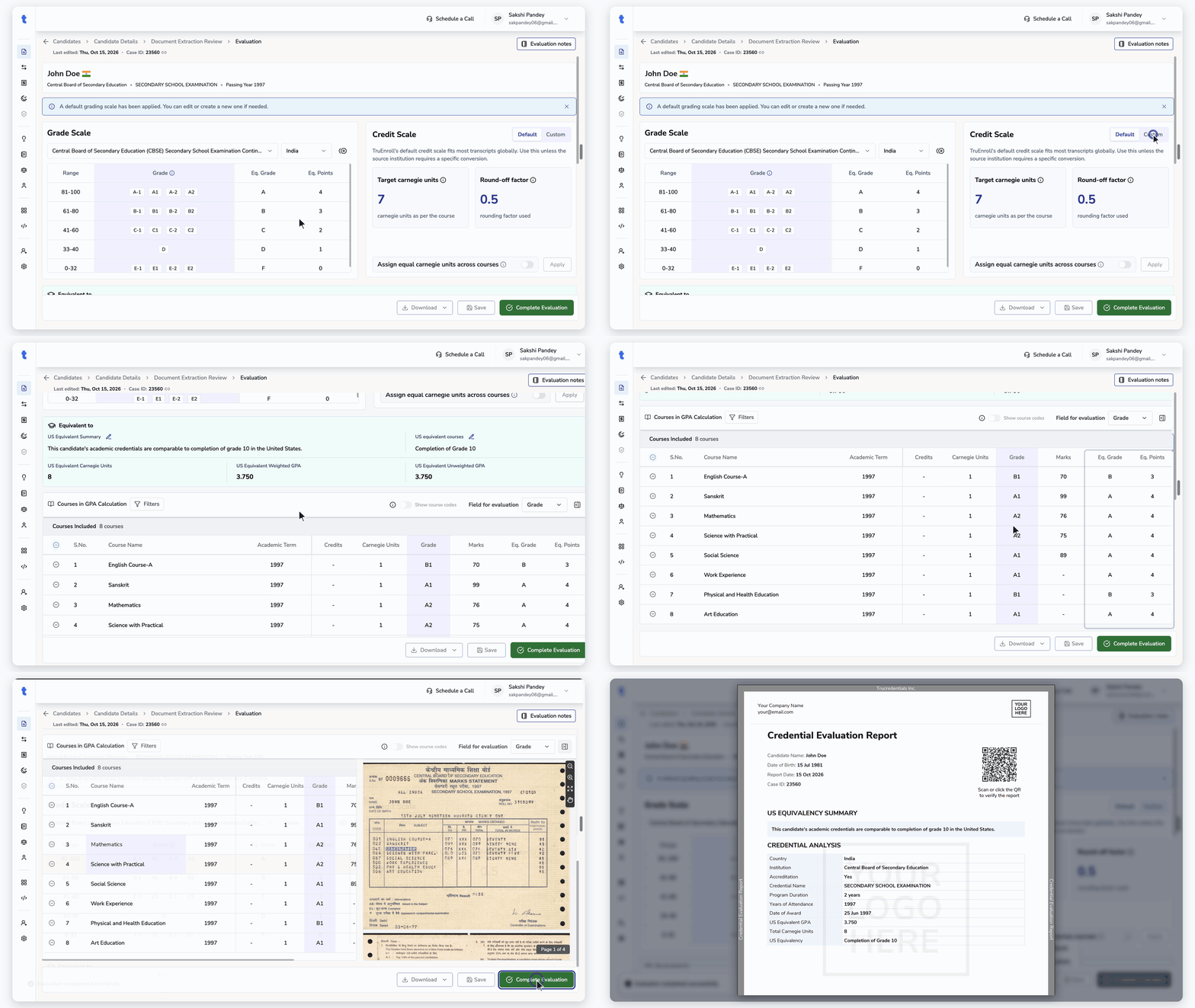
Explore TruEnroll Features
Account Setup
Sign in, get approved, and manage users in your TruEnroll account.
Upload Candidates
Add candidates and upload their documents for processing.
Manage Cases
View and manage all uploaded candidates for evaluation.
Review Documents
Open a candidate to review uploaded and processed files.
Document Verification
Verify a candidate’s academic documents directly from the TruEnroll.
Data Extraction Review
Verify and edit extracted data from documents.
Run Evaluation
Convert academic records into standardized equivalents.
Accreditation Scan
Automated assessment of issuing institution and qualification recognition.
Knowledge Hub
Find information on global education systems across 190+ countries.
Forensics
Automated authenticity audit of uploaded documents.