

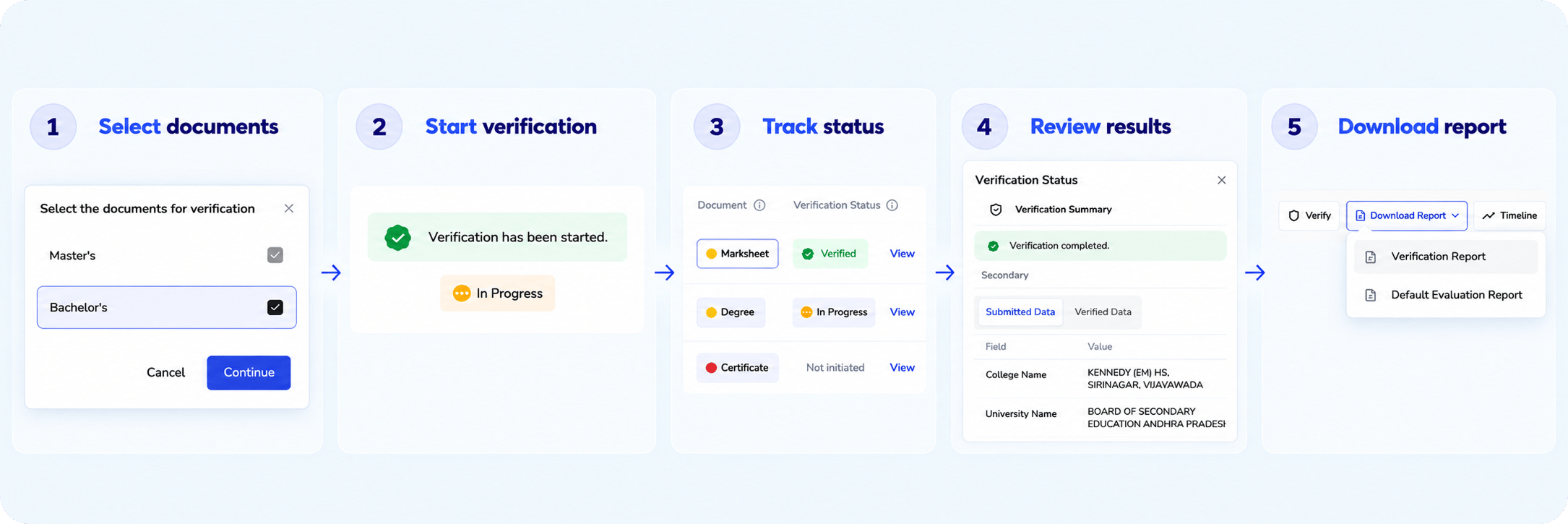
Start verification
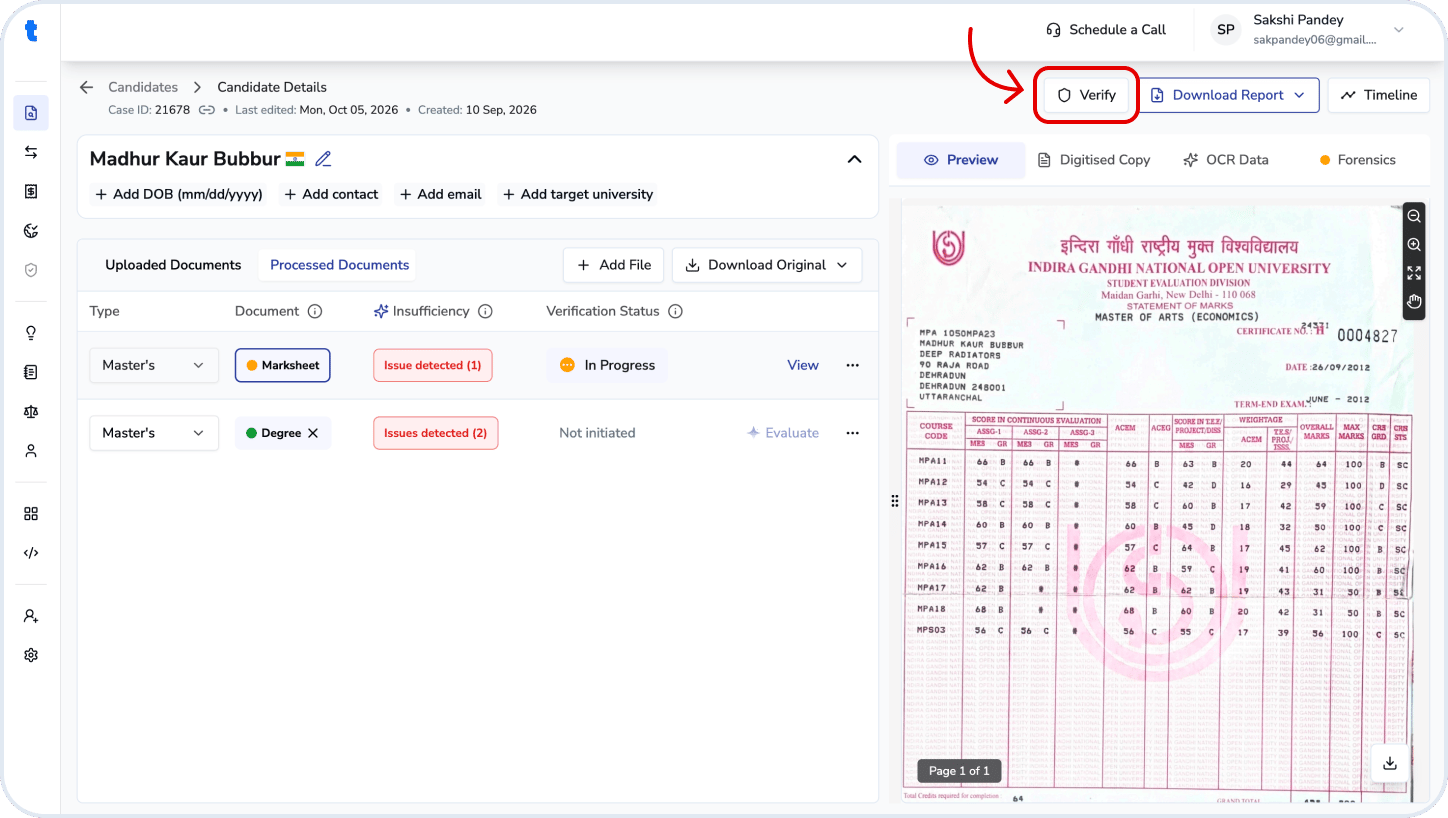
- Open the candidate from Case List and go to Candidate Details.
- Click Verify in the top-right corner.
- Select the documents you want to verify.
- Click Continue to start verification.
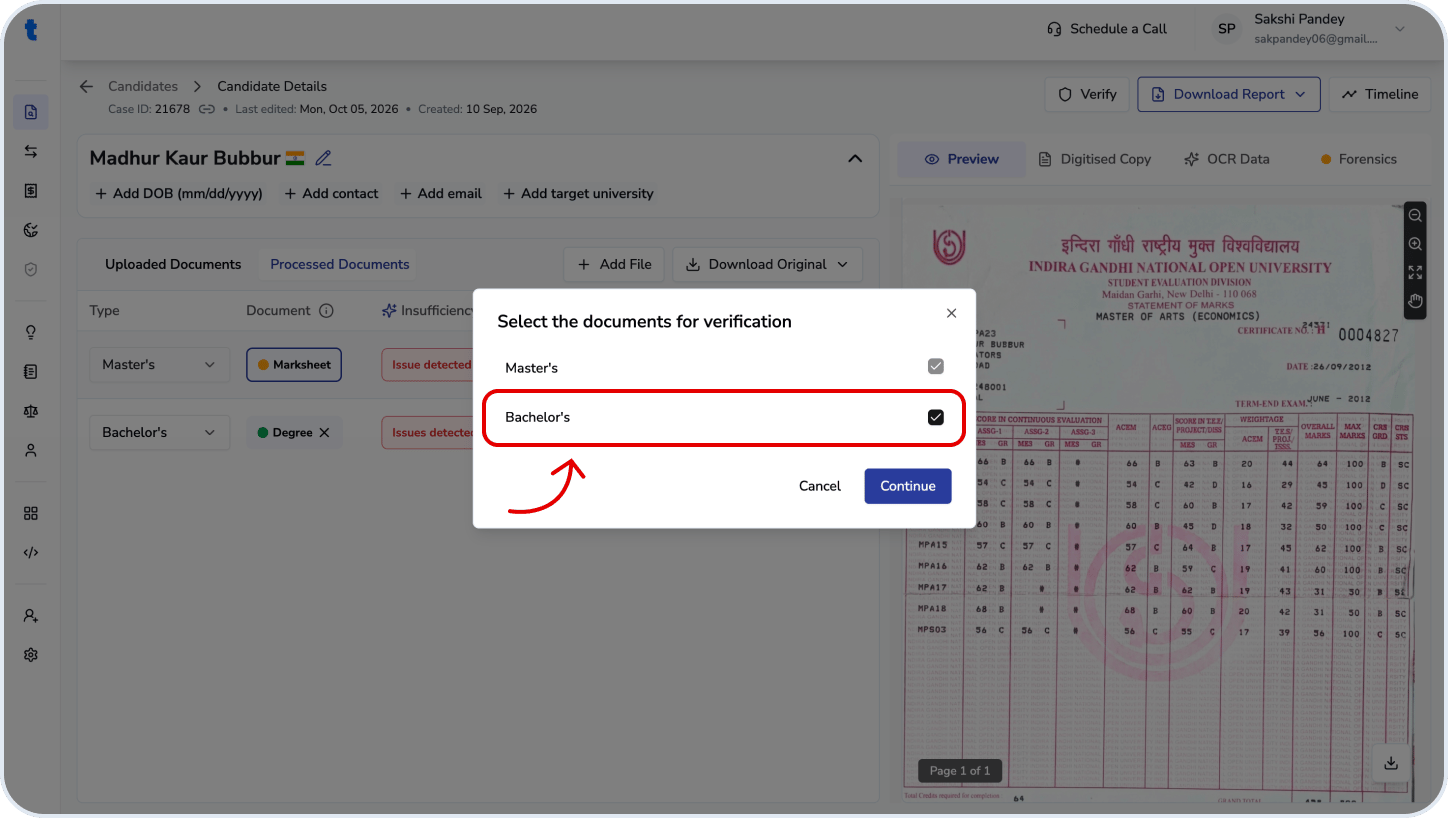
You can select multiple documents for verification at the same time.
Track verification status
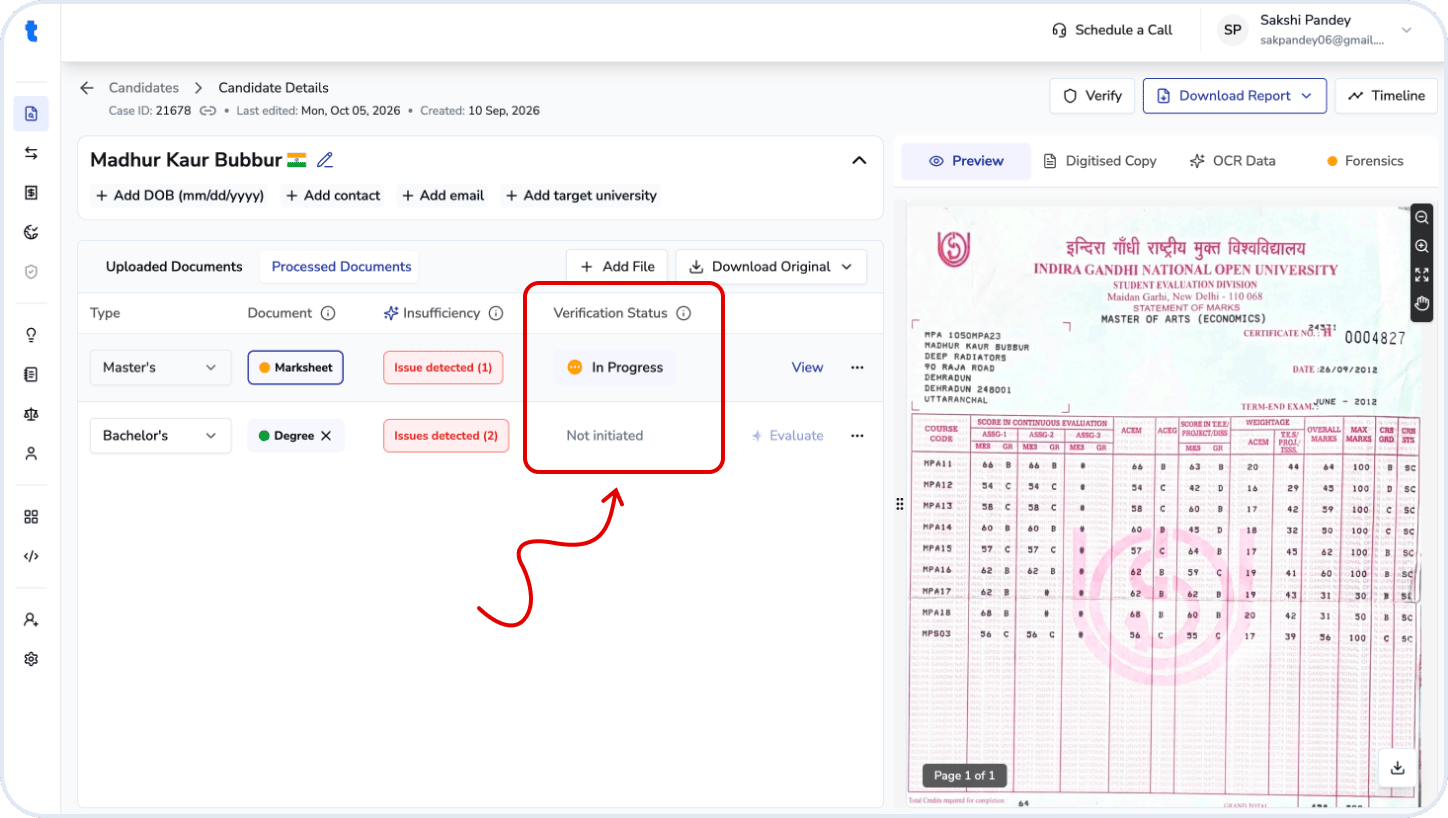
After verification is initiated, the Verification Status column appears in the document table. The status indicates where each document is in the verification workflow:- Not initiated: Verification has not been started for the document.
- In Progress: Verification is currently being processed.
- Verified: Verification has finished and the result is available.
- Failed: Verification could not be completed for the document.
- Closed: Verification has been closed and no further action is required.
View verification results
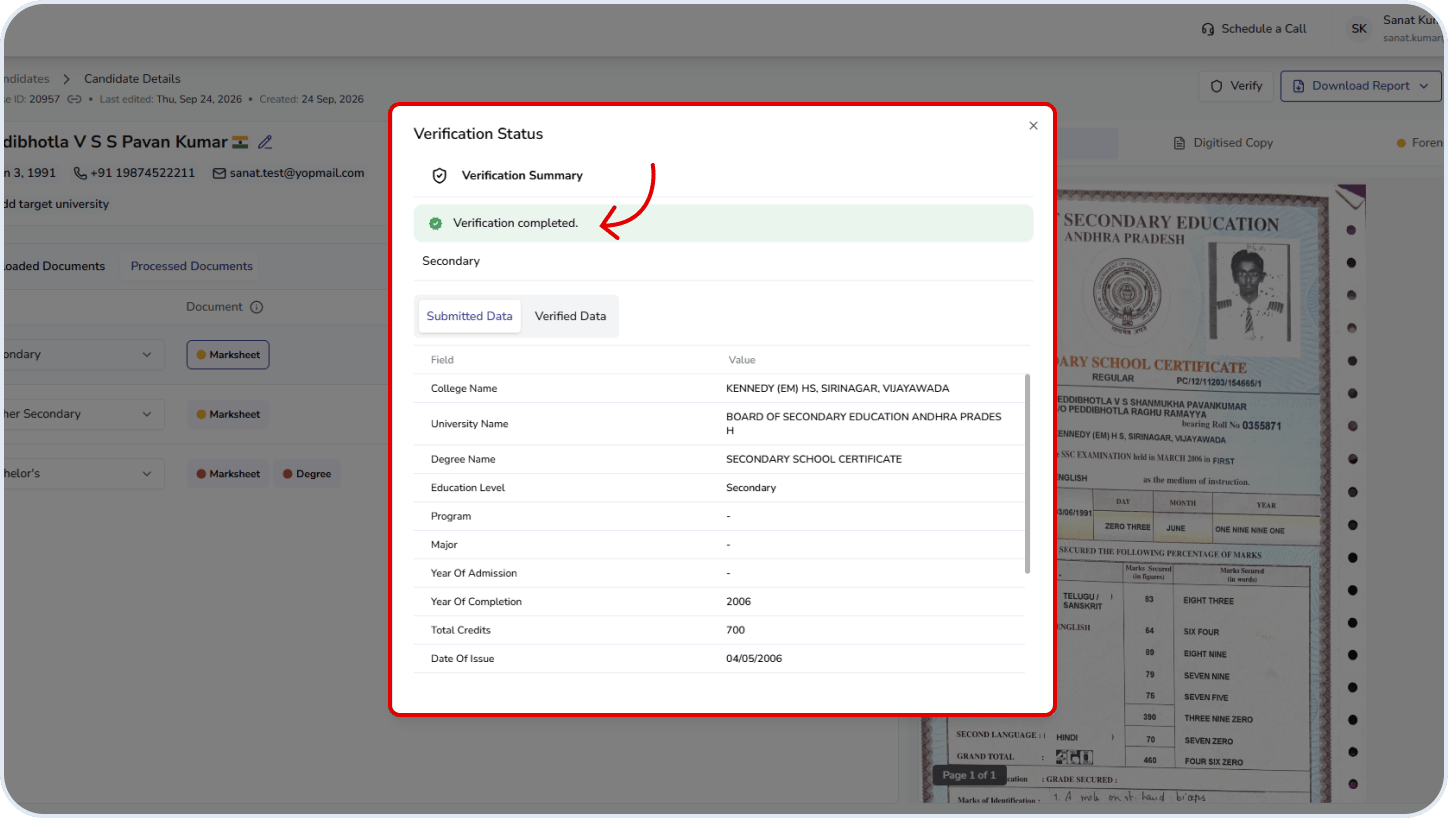
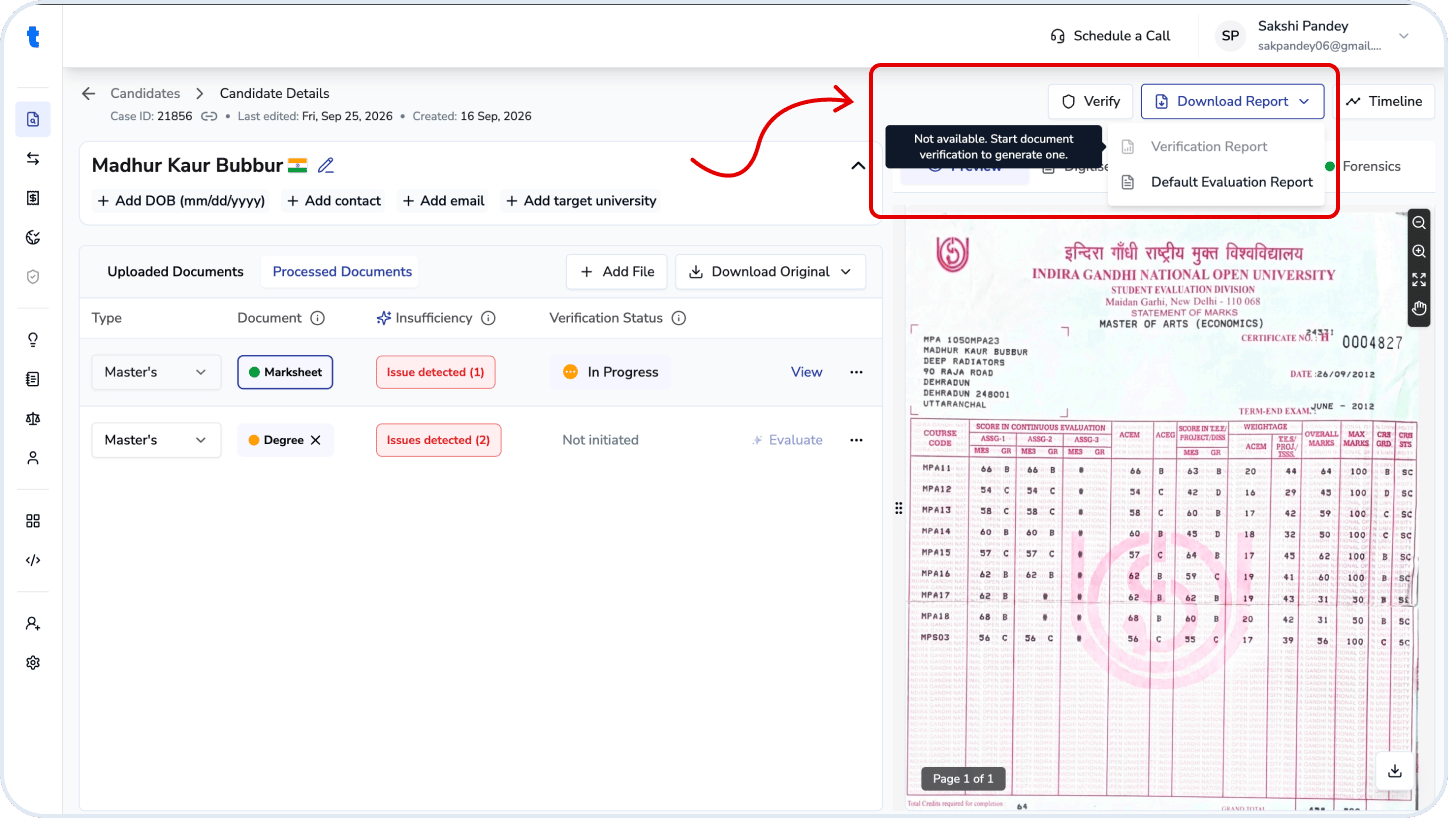
Once verification is complete, the document status changes to Verified. You can view the verification details by clicking the status button. You can also use the Download Report option to download the completed verification report.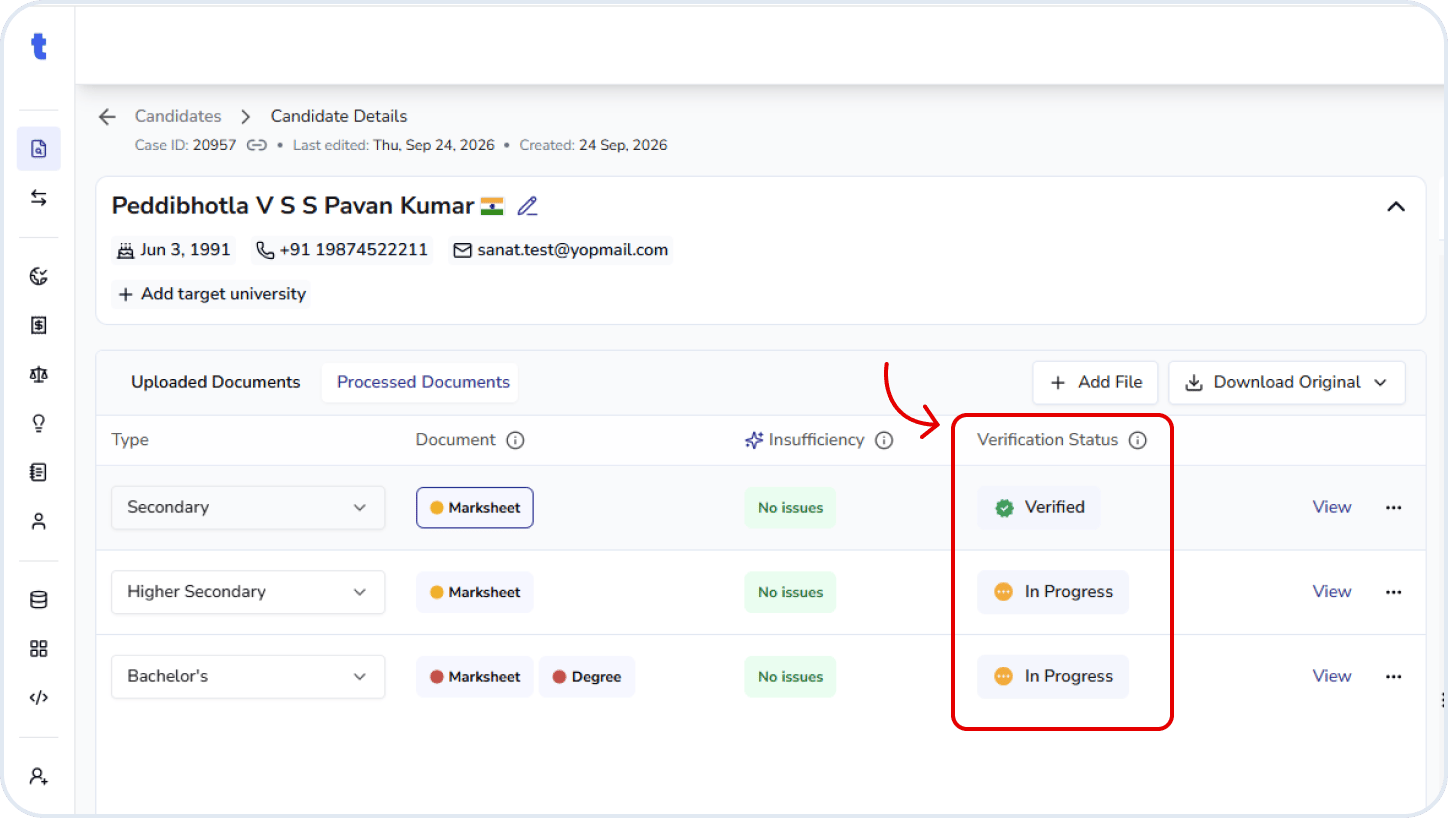
Related questions
What is the TAT for verification?
What is the TAT for verification?
Verification is typically completed within 2–3 weeks after it is initiated. However, the turnaround time may vary depending on the document type and verification source, and may be longer when verification requires a response from the issuing university or institution.
Which documents can I select for verification?
Which documents can I select for verification?
You can select degree certificates, marksheets, and identity documents for verification.
Can I select multiple documents for verification at once?
Can I select multiple documents for verification at once?
Yes. You can select multiple eligible documents and initiate verification for them at the same time.
What should I do if verification fails?
What should I do if verification fails?
Review the reason provided for the failed verification and use your judgment to decide the next steps. Based on the reason, you can determine whether further action or follow-up is required.
What happens when a verification is closed?
What happens when a verification is closed?
In some cases, verification may not be possible due to university disruptions or other circumstances that prevent us to verify the documents.
Can I cancel an ongoing verification?
Can I cancel an ongoing verification?
Yes. You can cancel a verification if the case has not yet been initiated with the university. If the verification has already been initiated, contact **support@truenroll.com **for assistance.
Can I download a report if only some documents are verified?
Can I download a report if only some documents are verified?
No. You can download the verification report only after all selected documents have been verified.