

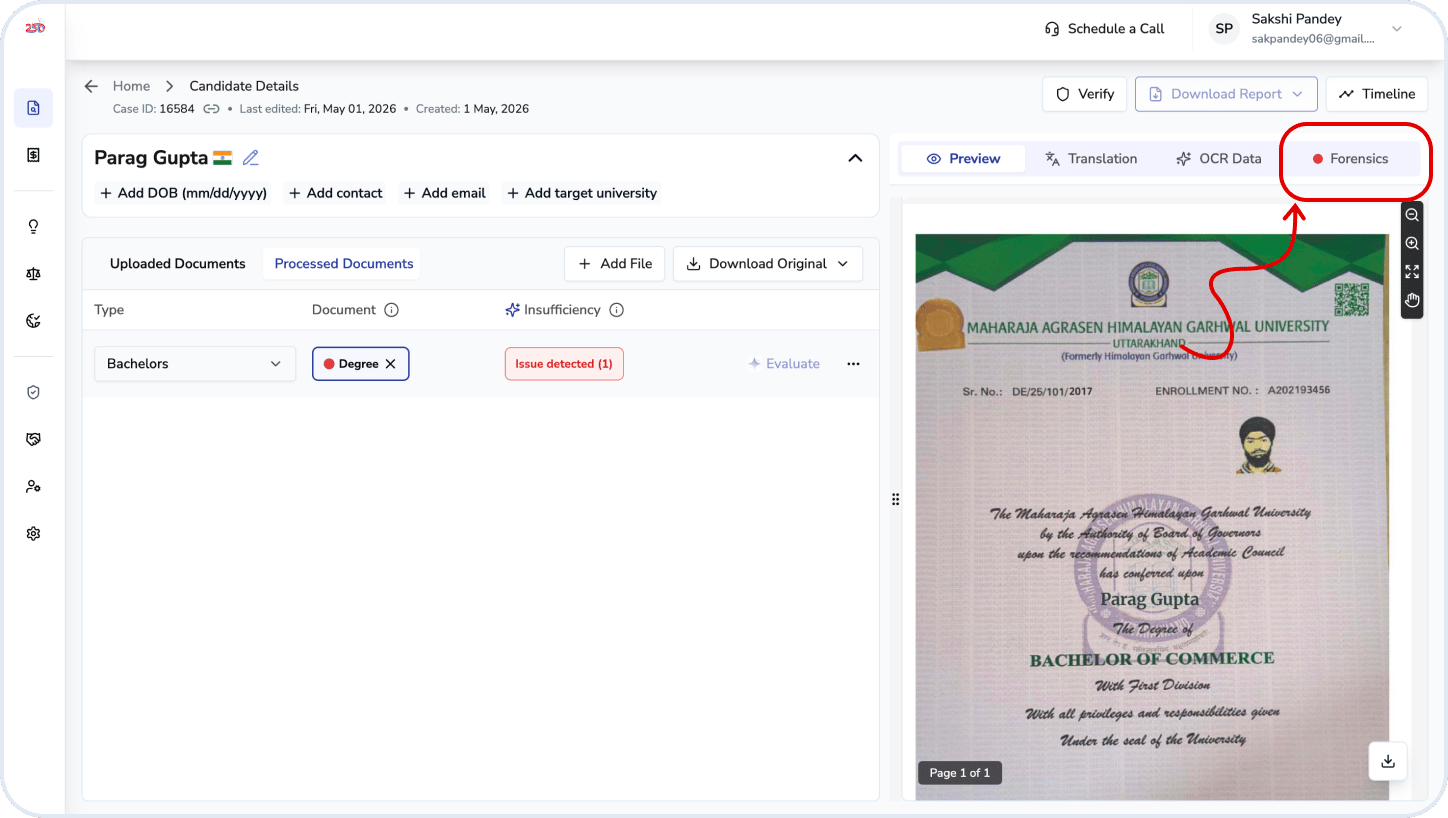
Summary Information
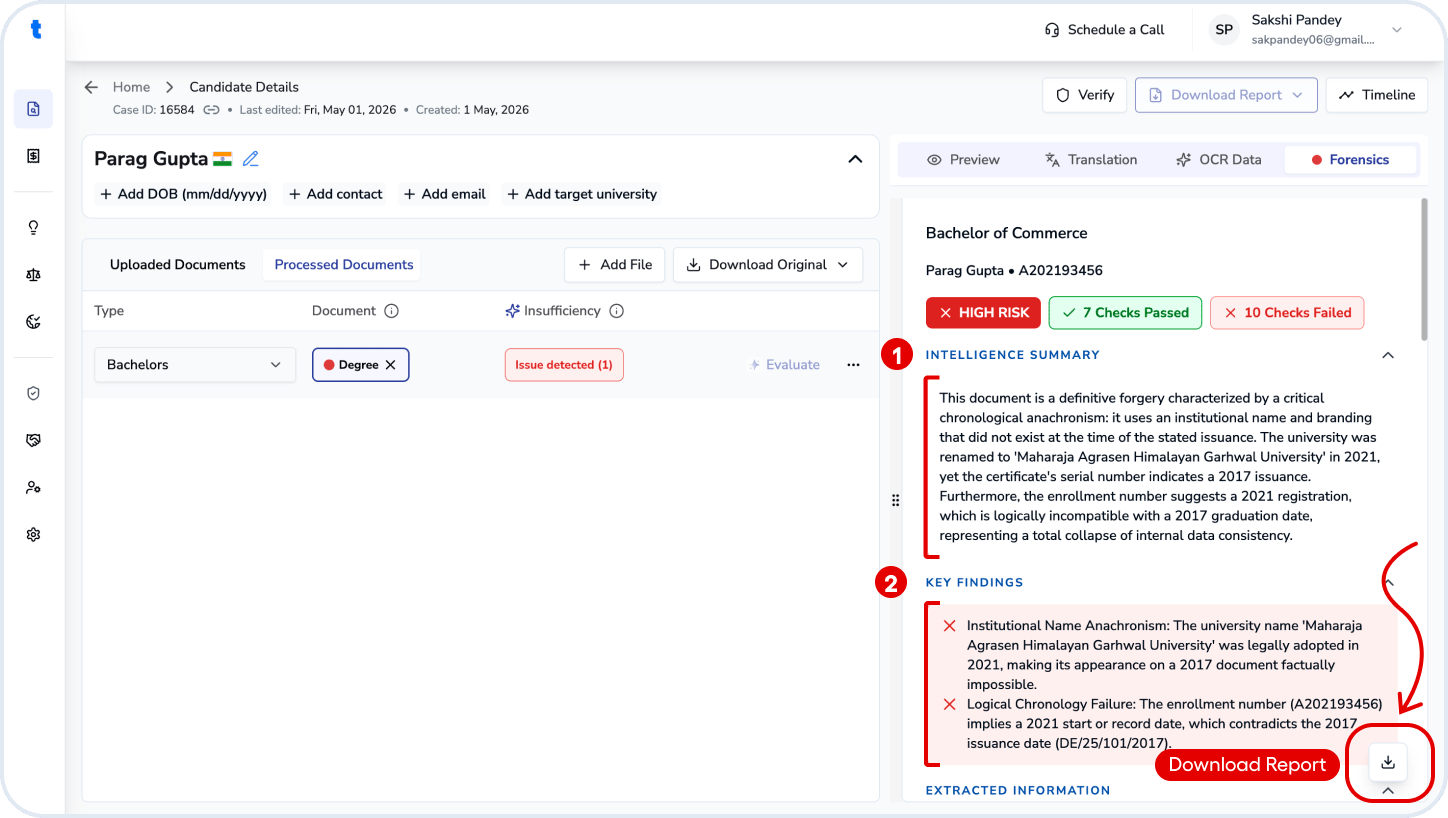
The report summarizes document authenticity using multiple forensic checks and assigns an overall risk level (e.g., High Risk).Intelligence Summary
A short, high-level explanation of:- Key consistencies (e.g., grading, timelines)
- Major concerns (e.g., metadata inconsistencies, missing security features)
Key Findings
Highlights the most critical issues detected. For example:- Temporal inconsistencies in file metadata
- Missing digital verification features (e.g., QR code)
Extracted Data
Basic document details — Candidate Name, Registration Number, Issuing Institution, Program / Qualification and Year of Issuance.Detailed Findings
Forensic Audit Check
The report evaluates multiple checks, each marked as PASS or FAIL:- Arithmetic & grading consistency
- Date and timeline progression
- Multilingual consistency
- Internal Consistency
- Course and curriculum alignment
- Grading scale consistency
- Missing digital verification markers (e.g., QR code)
- Suspicious typography or formatting artifacts
- Metadata inconsistencies (e.g., file created before content existed)
- Visual anomalies suggesting edits or reconstruction
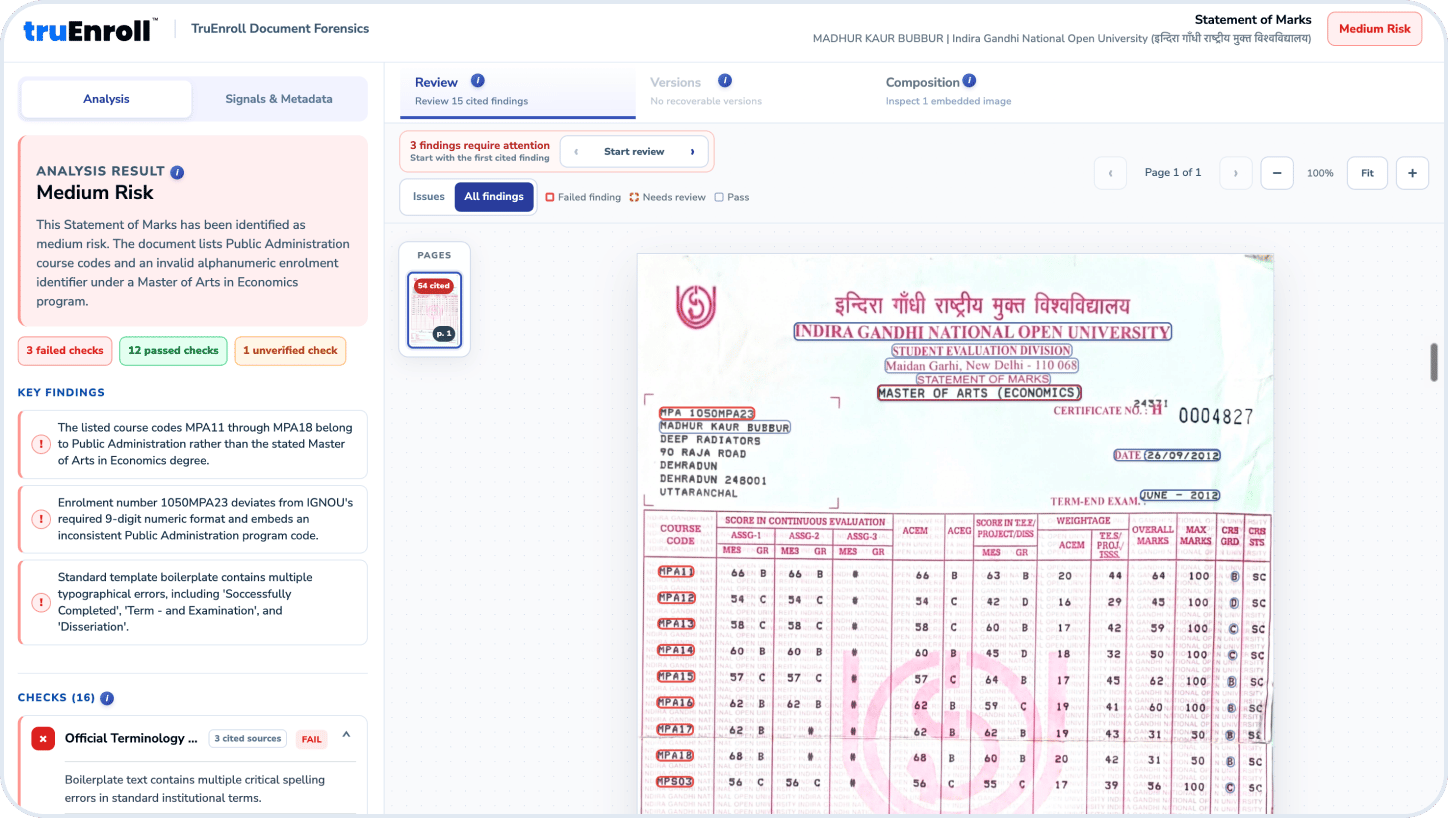
Inspect Document layers
- Analysis Result: View the overall risk assessment for the document, such as Low, Medium, or High Risk.
- Risk Summary: Review the key factors contributing to the document’s risk assessment.
- Key Findings: See the most significant issues identified during the forensic analysis.
- Checks: Review individual forensic checks and their outcomes.
- Failed Checks: Identify checks that detected potential inconsistencies or issues in the document.
- Passed Checks: View checks where no issues were identified.
- Unverified Checks: Identify checks that could not be conclusively verified.
- Review Findings: Review cited findings and inspect the evidence highlighted on the document.
- Document Markings: Findings are highlighted directly on the document to help reviewers locate the relevant areas.
- Signals & Metadata: Review document signals and metadata that may provide additional evidence about the document.
- Versions: Check for recoverable document versions, when available.
- Composition: Inspect embedded images or other document composition details.
How to Use
- Use the risk level and intelligence summary for quick assessment
- Cross-check flagged issues with the original document in the preview (key findings)
- Review failed checks carefully — these indicate potential fraud or tampering
- If concerns remain, request additional documents or perform primary source verification
Related questions
How to edit a Forensics Report?
How to edit a Forensics Report?
Open the candidate record and navigate to the Forensics tab to review the flagged findings. Verify the highlighted issues against the uploaded documents and make any necessary corrections or overrides, providing a reason where required. Once all findings have been reviewed and addressed, the forensics scan can be saved as updated.