

Insufficiencies
Insufficiencies are used to flag issues with uploaded or processed documents that may affect evaluation. These help identify missing, unclear, or invalid information and should be reviewed before proceeding. You can see all insufficiencies from the Processed Documents tab for each document on the Review Candidate page.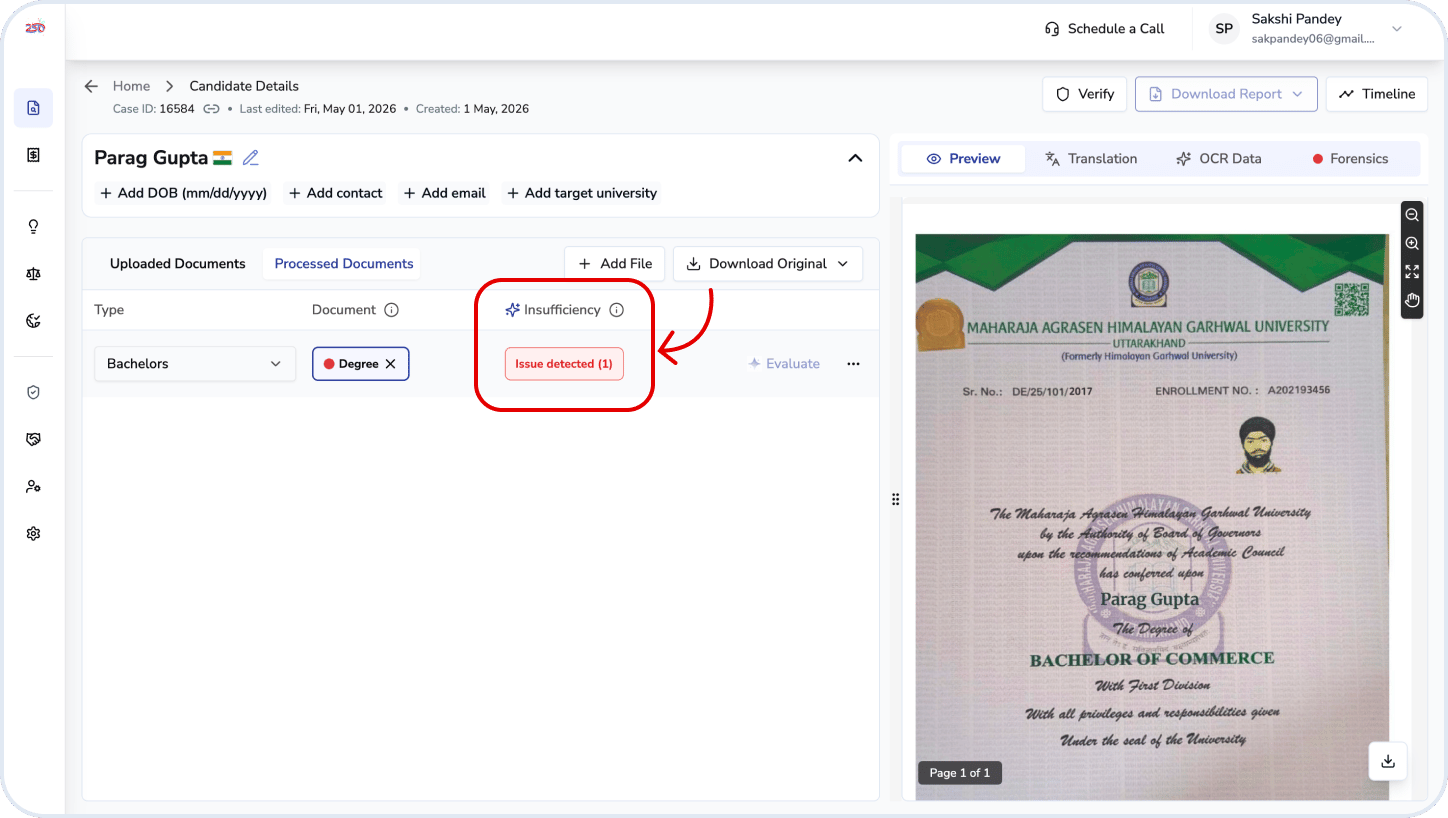
Types of Insufficiencies
How to Use
1
Processed tab
Select the relevant insufficiency for a document from the Processed tab.
2
Insufficiency column
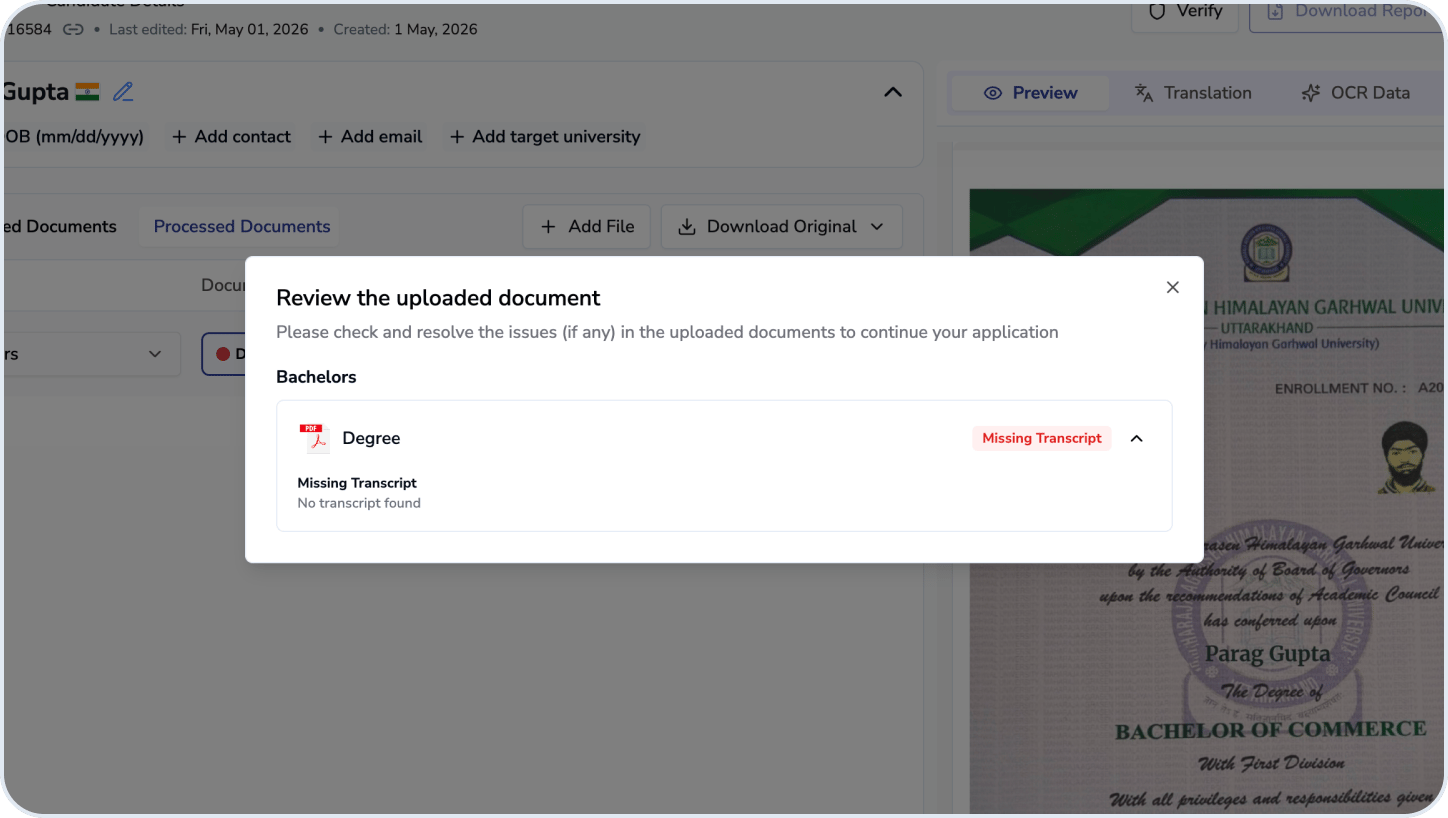
Multiple insufficiencies are flagged if applicable.
3
Fix issues
Use insufficiencies to guide follow-up actions (e.g., requesting clearer or additional documents).
Ensure all critical insufficiencies are resolved before completing evaluation.
Related questions
Can I evaluate the education level if there is insufficiency?
Can I evaluate the education level if there is insufficiency?
No. If an insufficiency is detected, you must review the document, resolve the flagged issues, and verify the information before the education level can be evaluated.